



How much does a 10-minute stoppage really cost?
Ten minutes feels small on the floor. Do the math once, with your own numbers, and it usually stops feeling small. Here is a simple way to work it out.
Operators call for help with one button. Andon-SSP tells the right person right away, alerts someone else if the call isn't handled, and records every minute of waiting, so you know what your stoppages really cost.
A press stops on the evening shift. The operator needs maintenance. They look down the aisle, walk to the supervisor's office, and nobody's there. They try the radio. They wait.
Twenty minutes later the press runs again. Nobody wrote down how long it was down, or why. Next week it happens again, and at the production meeting everyone has a different idea of what costs the most.
Four steps, one button. Each step is timed for you.
The operator presses the call type on an RF remote, a phone or a tablet, and can add a reason.
The board above the line lights up, the supervisor's tablet shows the call, and email, SMS or Teams reach the right people. Nothing moving? Someone else is told.
The responder taps to say they're on it, fixes the problem, then closes the call.
Wait, response and fix times go straight into your reports, by station, reason and shift.
Use what works on your floor, or mix both.
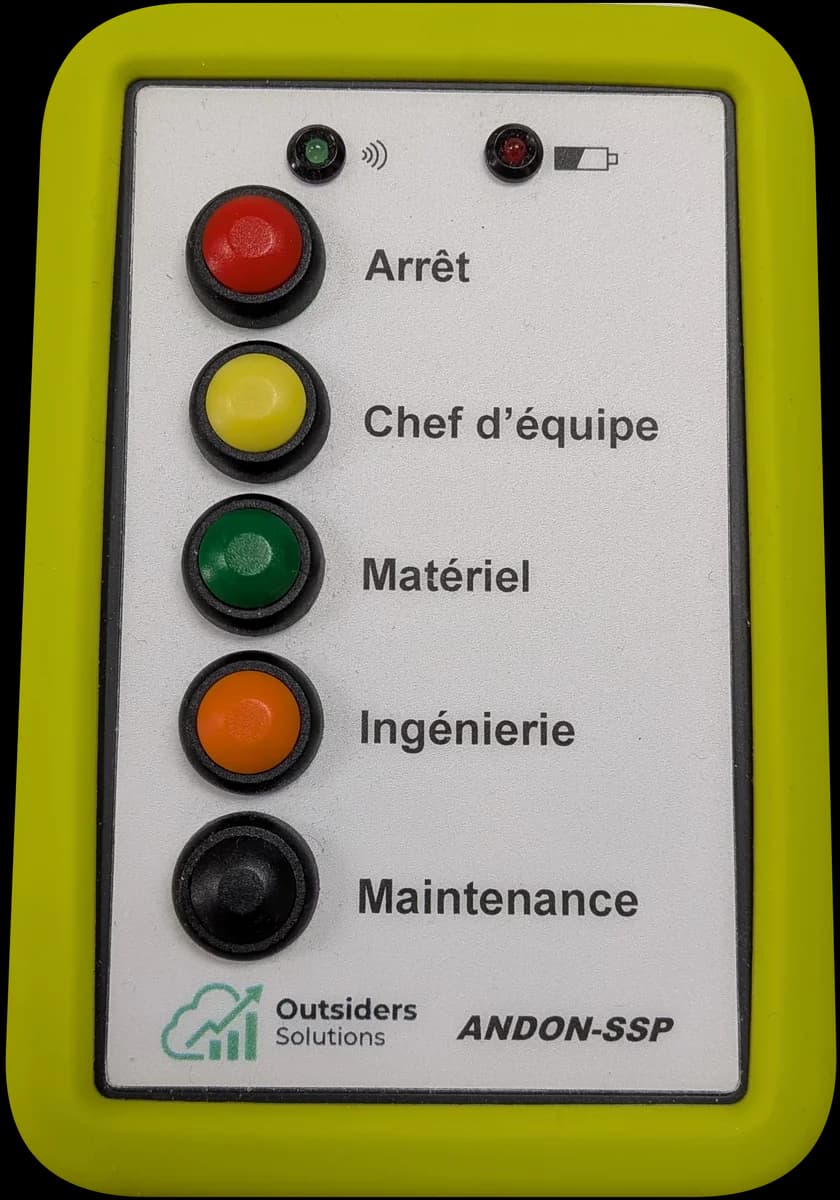
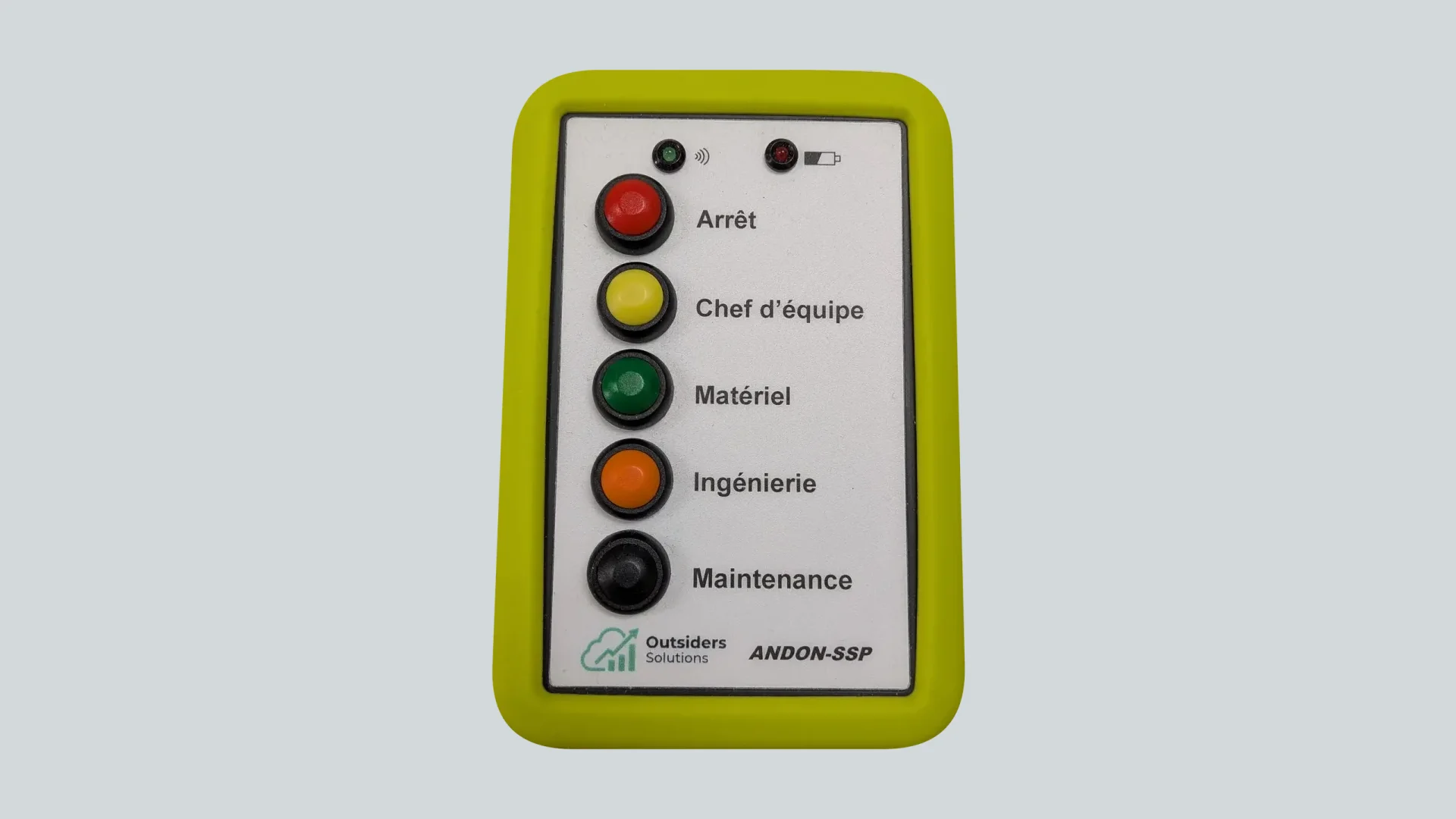
For floors where Wi-Fi drops out or tablets don't survive. The remotes talk to a receiver by radio, no Wi-Fi needed. Our Andon software has been helping plants cut stoppage time for 18 years.
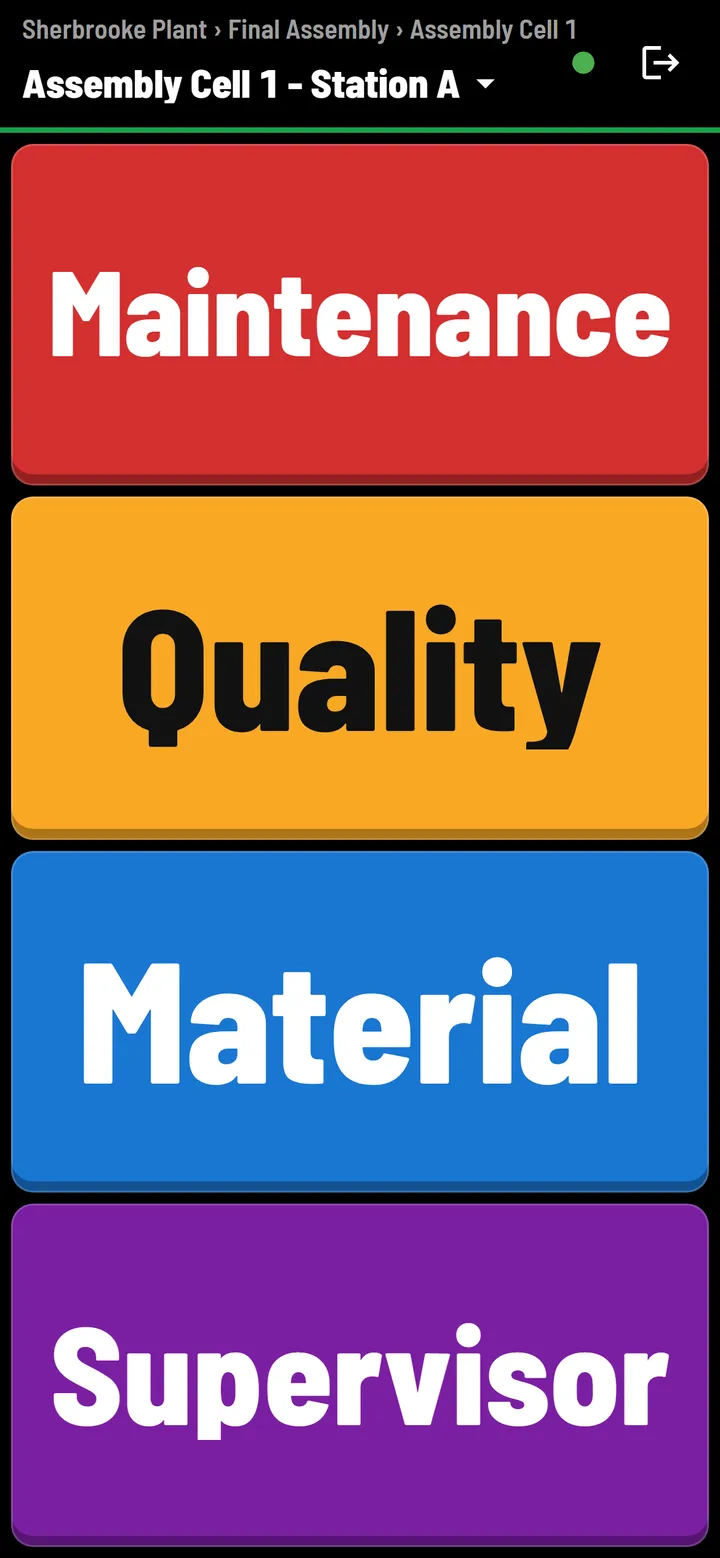
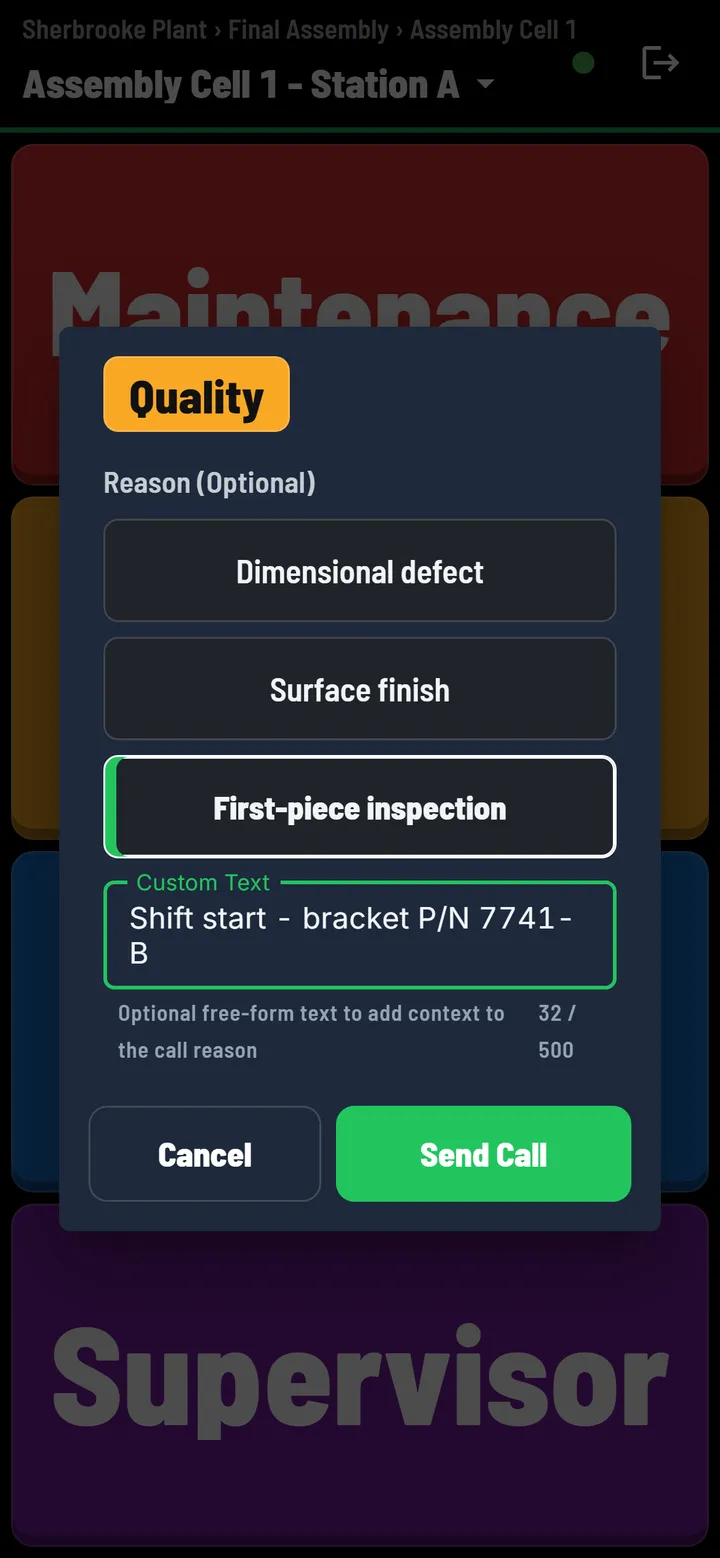
Where you have Wi-Fi, there's no hardware to buy to start. Choose the line, cell and station, and the device becomes a remote. Reasons and a short note are one tap away.
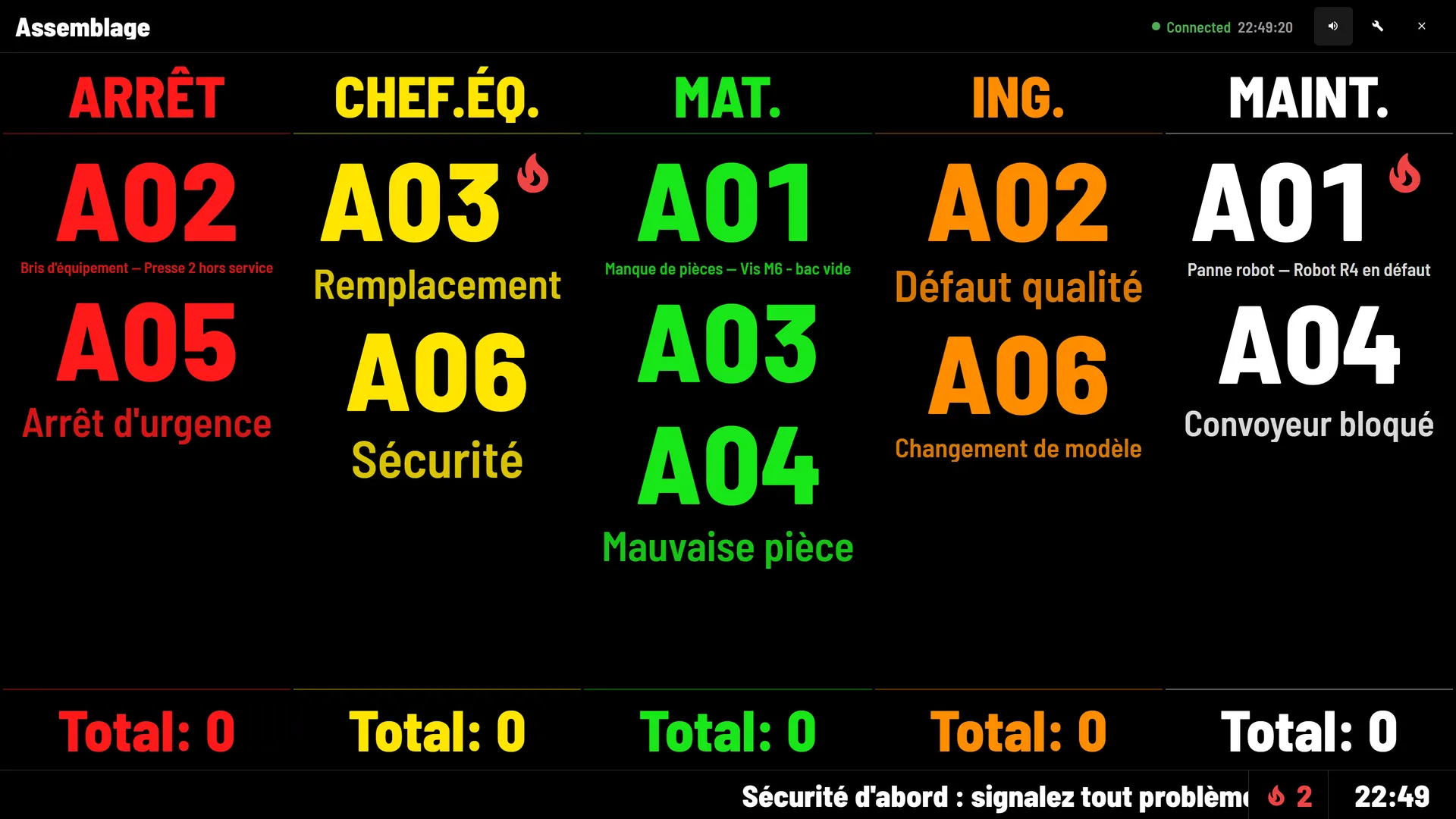
Operators, supervisors and managers see the same calls at the same time. Station codes show in the colour of the call, readable from across the floor. A flame marks a chronic issue, and shift totals sit along the bottom.
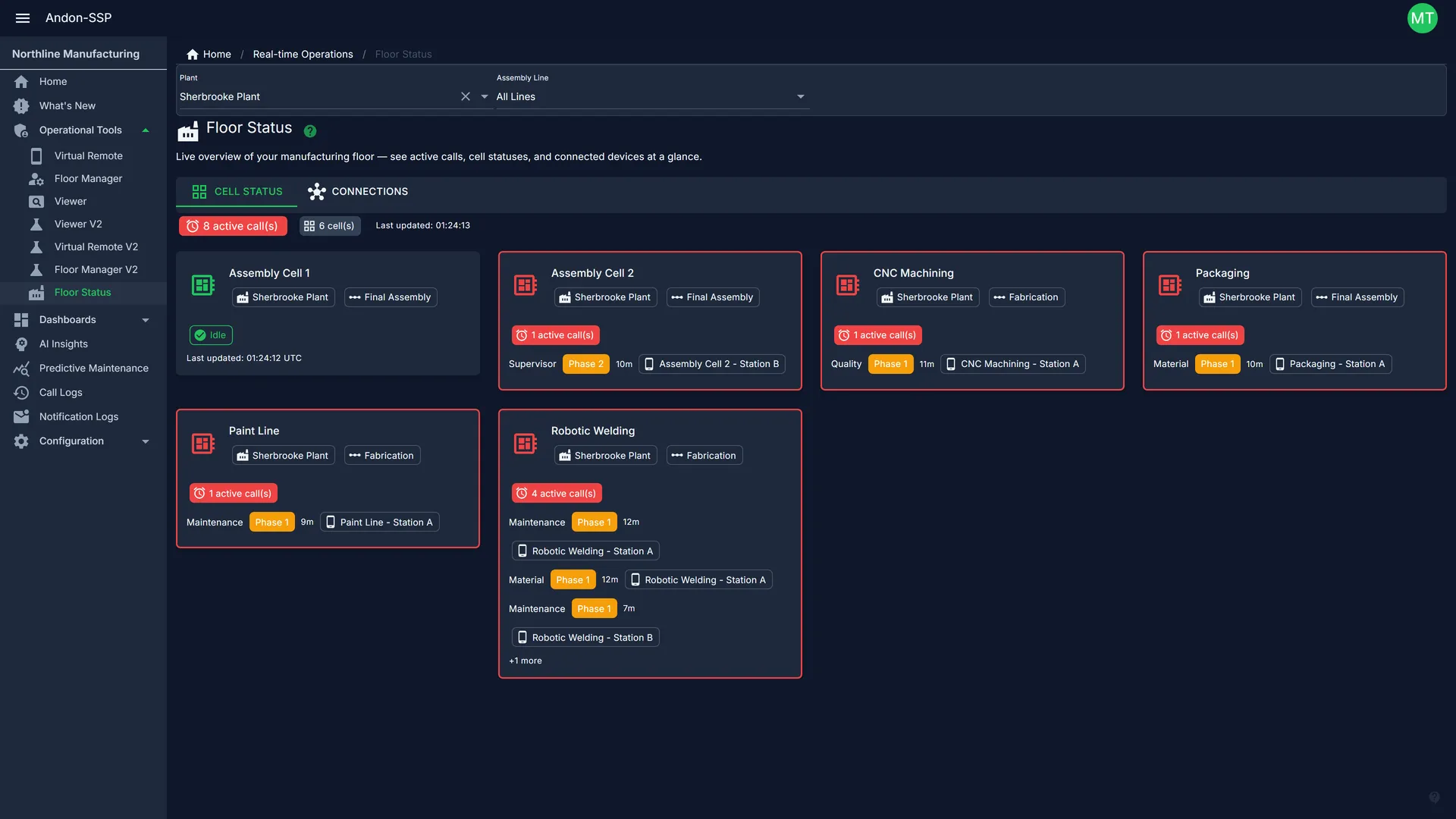
Floor Status shows each cell's live calls, phase and elapsed time across the whole plant.
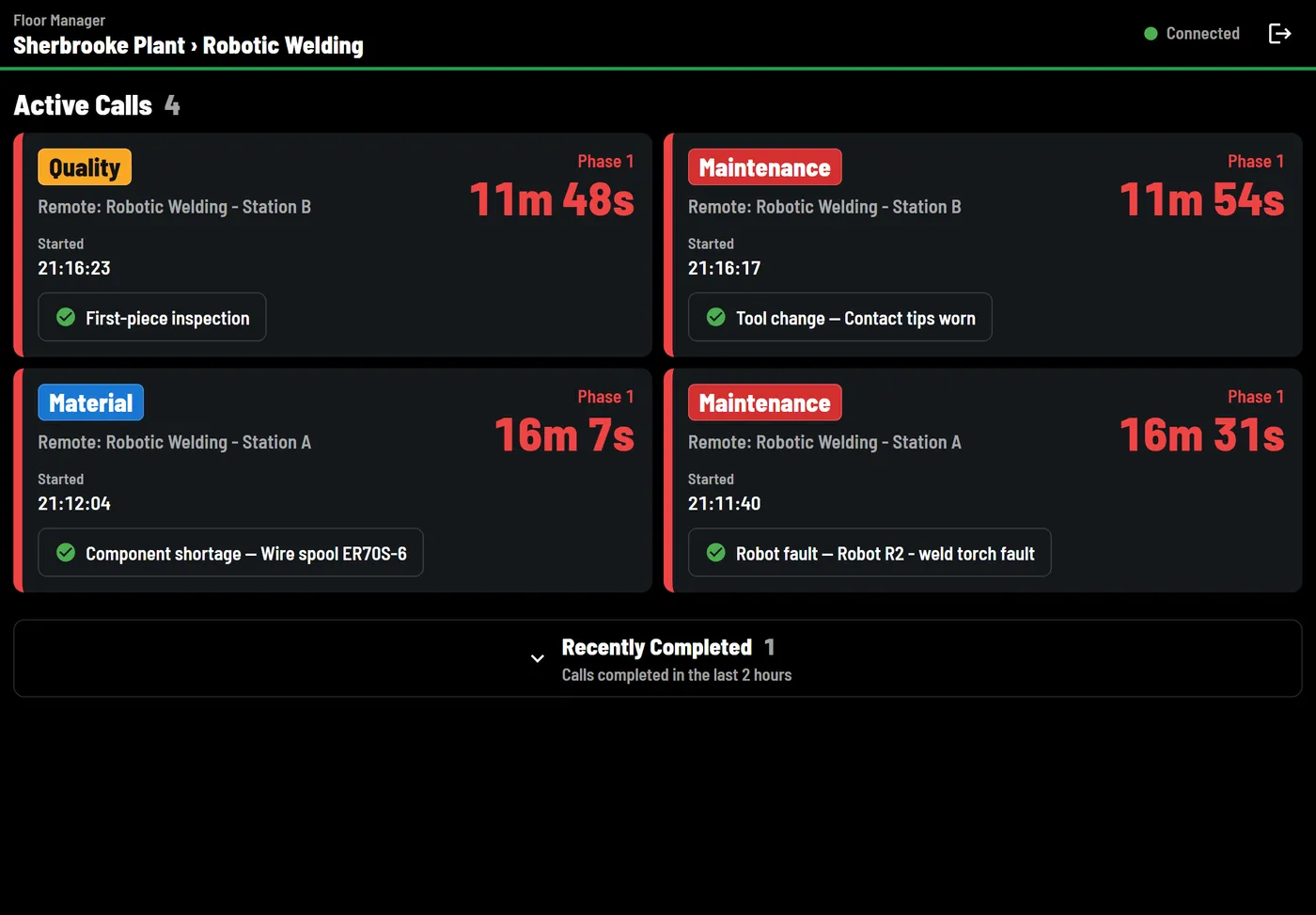
Floor Manager lists active calls with their reason and a running timer on any tablet.
If a call stays at the same step longer than the time you set, nobody has taken it or it still isn't fixed, another contact is notified. Nobody has to chase anyone.
Example: a material call on the Assembly cell
Station A05 calls Material
The board above the line lights up and the material handler is notified.
No change after 3 minutes
Nobody has taken the call. An SMS goes to the team lead.
Still no change
A Teams message reaches the production supervisor.
On it
The team lead takes the call and brings the material.
Resolved
The call closes. Wait, response and fix times are saved.
By workstation, by reason, by shift. Export to Excel in one click.
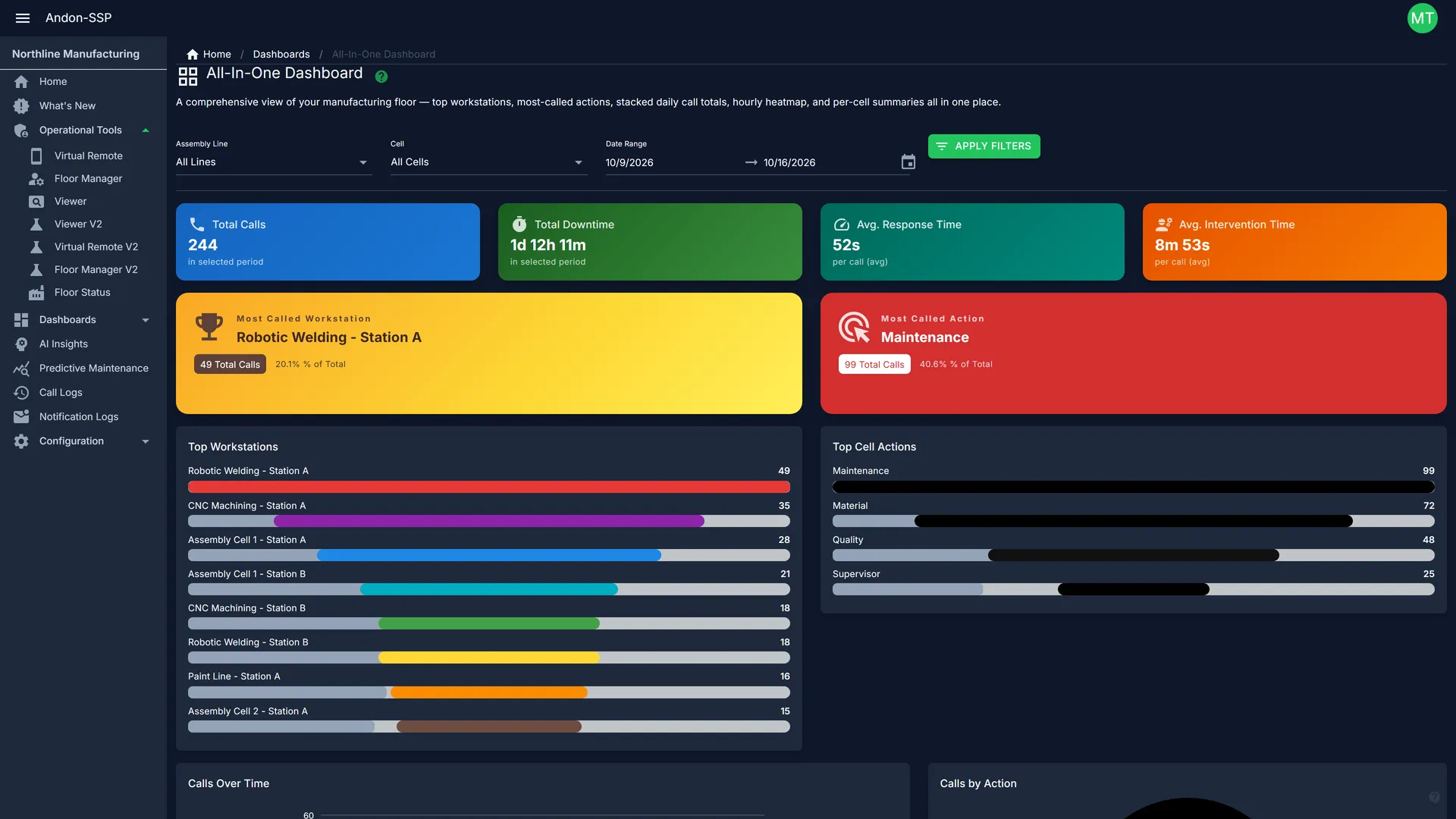
Total calls, downtime, average response time and the most-called workstation for any period.
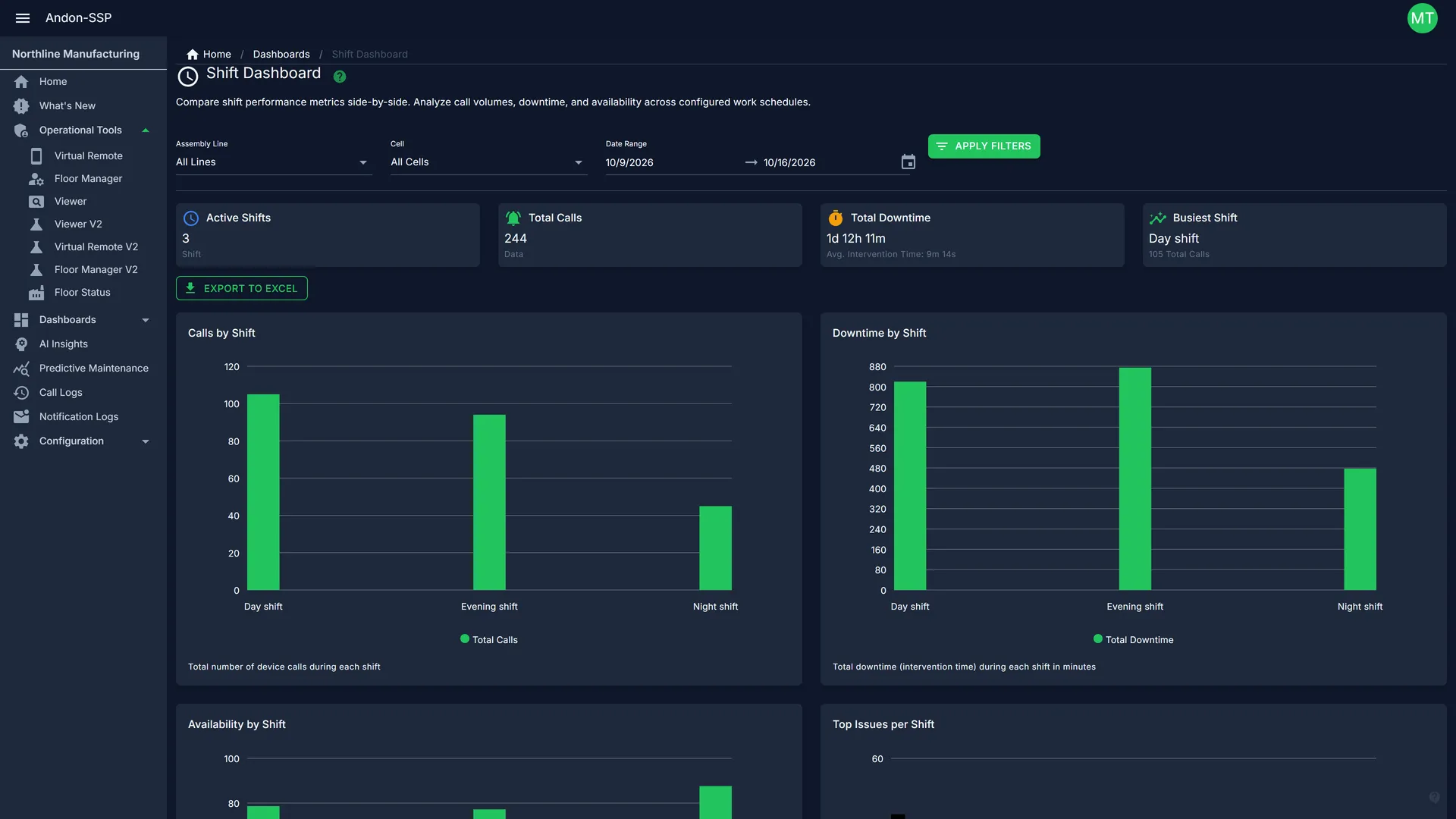
Compare calls, downtime and availability between day, evening and night shifts.
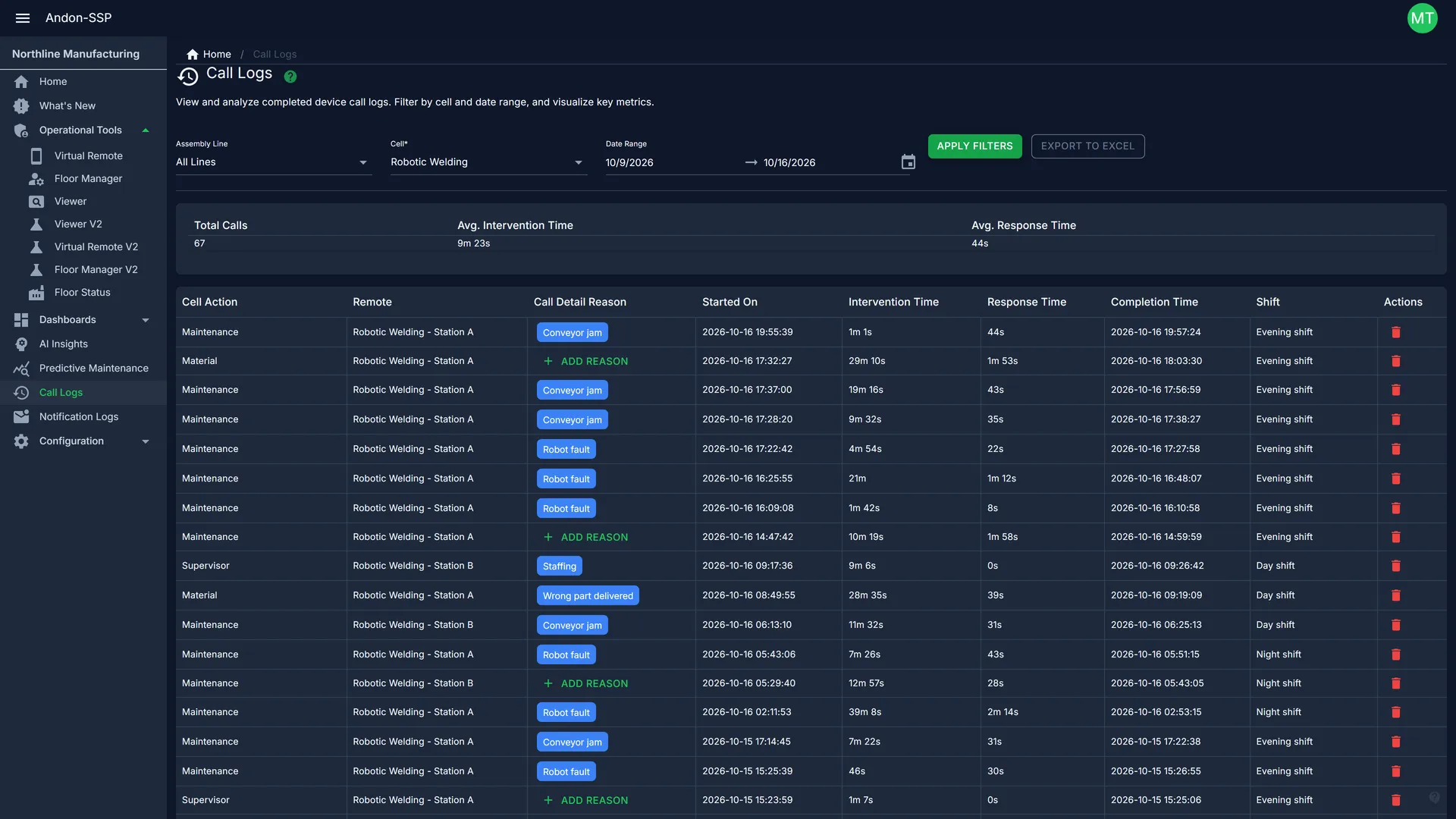
Every call with its reason, shift, response time and intervention time. Export to Excel in one click.
A 35-second walk through the dashboards.
Screens shown with demo data.
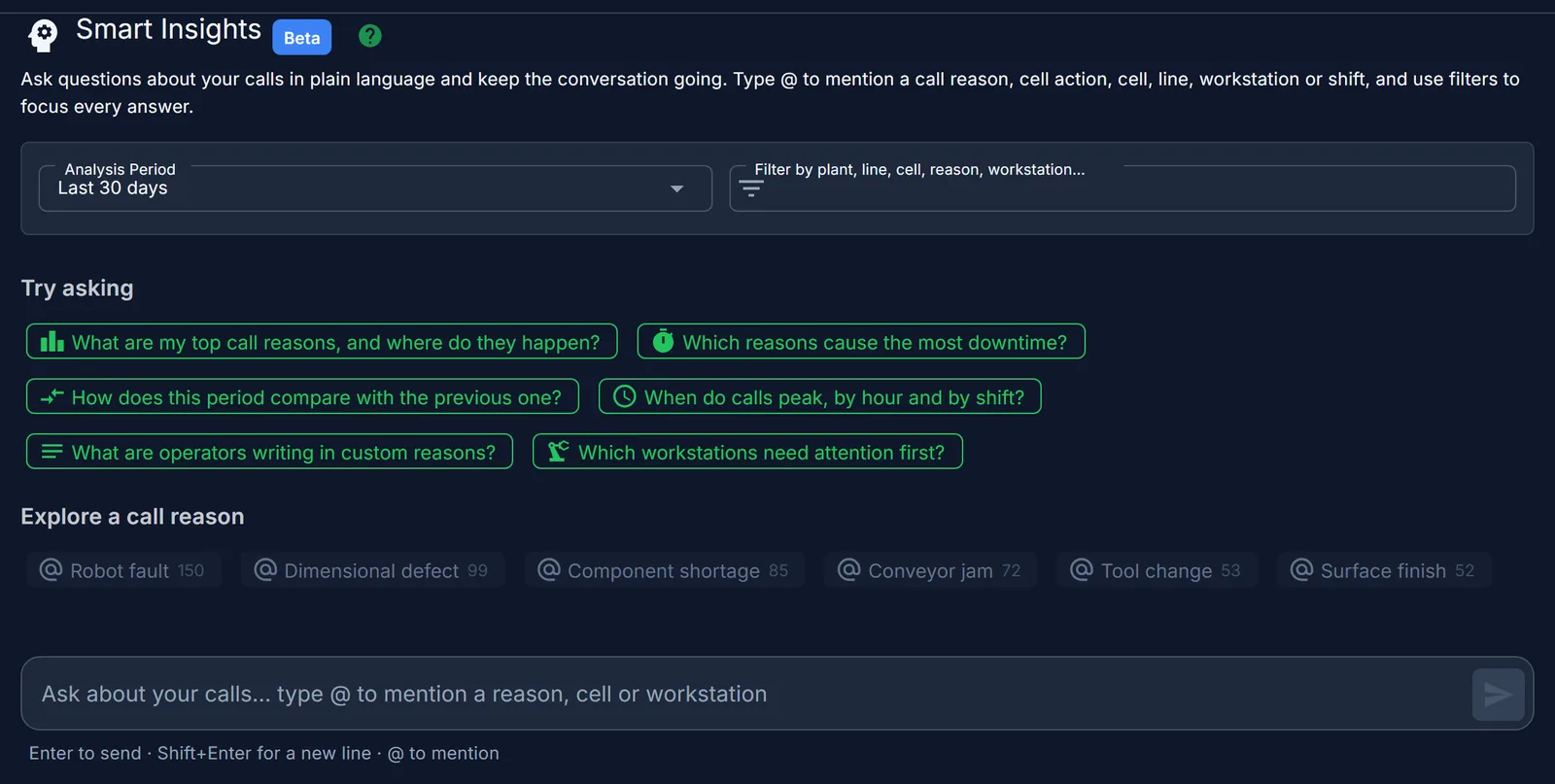
Smart Insights answers in plain language, using your own call history. Ask what needs attention first and get the workstations, the reasons and the numbers behind them.
Operator
One button instead of walking the floor to find someone. The board shows your call was received.
Supervisor
Active calls, reasons and timers on your tablet. You know who's waiting, for what and for how long, without walking the line.
Manager
Downtime by station, reason and shift, with response and fix times. Bring facts to the production meeting and check whether things improve.
A quick estimate of what waiting for help costs you in a year. The values below are examples: replace them with yours.
Estimated cost of waiting, per year
$26,000
$500 per week
Andon-SSP is a monthly subscription, not a big IT project. Start with one line, look at the results, then add lines and plants when it works for you.
Calls and escalations as Teams messages.
Reach the right people, even away from the floor.
Export call logs and downtime in one click.
Connect your ERP or MES to your call data.
Not for the RF remotes. They talk to a receiver by radio, so they work where Wi-Fi drops out. Phones and tablets do need Wi-Fi. Many plants mix both.
No. An RF remote at the station is enough. Tablets are handy for supervisors who move around, and a screen above the line shows the board.
Very little. Each RF receiver connects to a PC, and we do the setup with you. There's no server for you to install or maintain.
About two weeks from the start of the project to the first live calls. We set up your lines, stations and call types with you.
For each call type, you choose who is notified first, and a time limit. If the call's status hasn't changed by then (nobody has taken it, or it still isn't fixed), another contact is notified by email, SMS or Teams. You can add as many levels as you need.
Your data is hosted in Canada, and we follow Quebec's Law 25 on the protection of personal information. Smart Insights only works with call data, such as response times, stations and reasons.
Yes. A call is one button, labelled by call type, and the board above the line confirms it was received. Screens are in French and English, so each person uses the language they prefer.
Yes. If you already know the term, Andon-SSP is an Andon system: a way for operators to signal a problem and get help right away, with the data to improve over time.
Ten minutes feels small on the floor. Do the math once, with your own numbers, and it usually stops feeling small. Here is a simple way to work it out.
Most of the time, help isn’t slow because people don’t care. It’s slow because the right person doesn’t know. Five reasons operators wait, and what to do about each.
Phones and tablets work well where Wi-Fi is solid. Many plant floors aren’t like that. Here’s why we offer industrial RF remotes, and how to choose.
In 20 minutes, we show you Andon-SSP set up with lines and call types like yours. Prefer to talk first? Call or write to us.