One tap on the floor. The right people know.
Andon-SSP lets operators call for help from an RF remote, a phone or a tablet. The call lights up the board above the cell, reaches the supervisor's tablet, and lands in your downtime reports.





A call, start to finish
Every call goes through the same three steps. Each one is timed, so you know how long help took to arrive and how long the fix took.
Raise
The operator taps the call type and picks a reason. The board above the cell lights up right away.
Acknowledge
The responder sees the call, its reason and a running timer on the board or tablet, and taps to say they're on it.
Resolve
Once the problem is fixed, a last tap closes the call. Response and intervention times go straight into your reports.
Call from a remote, a phone or a tablet
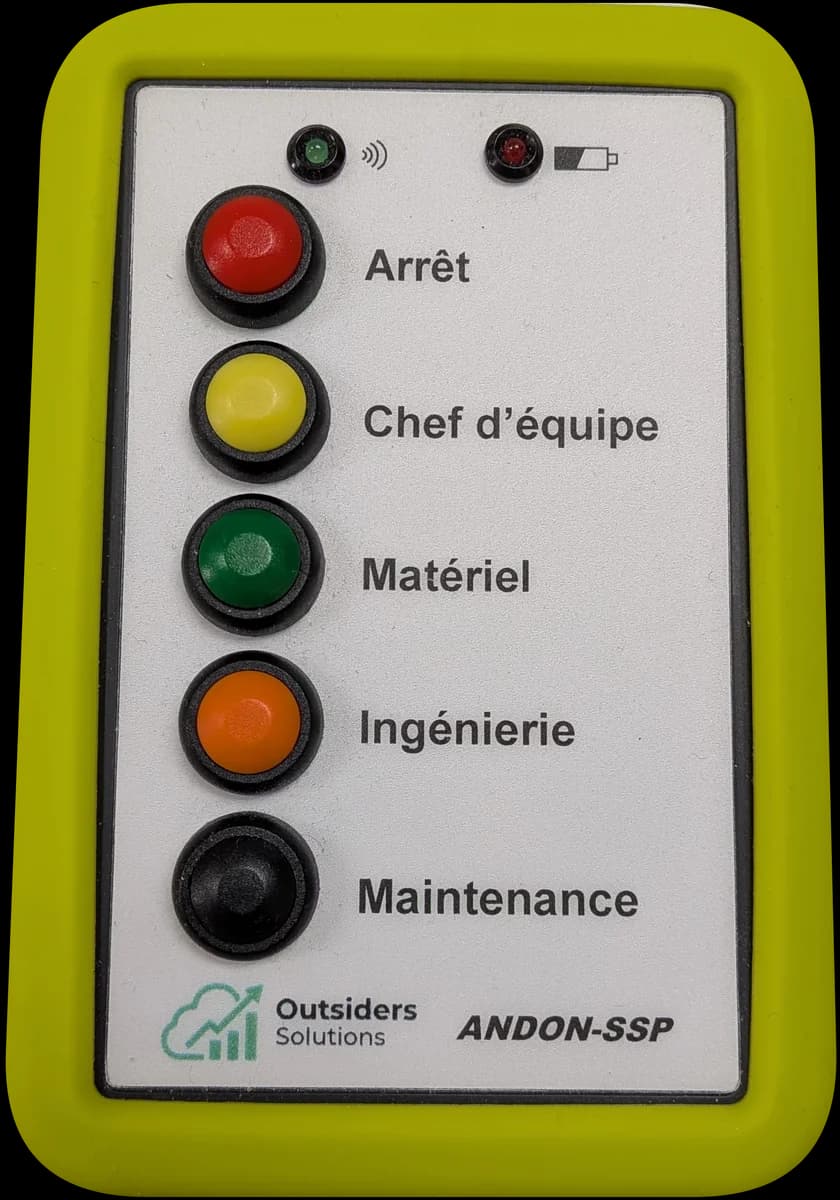
Industrial RF remote
RF keeps working on a shop floor where Wi-Fi drops out. There's no limit on remotes or receivers, and the technology has been running in plants for more than 15 years.
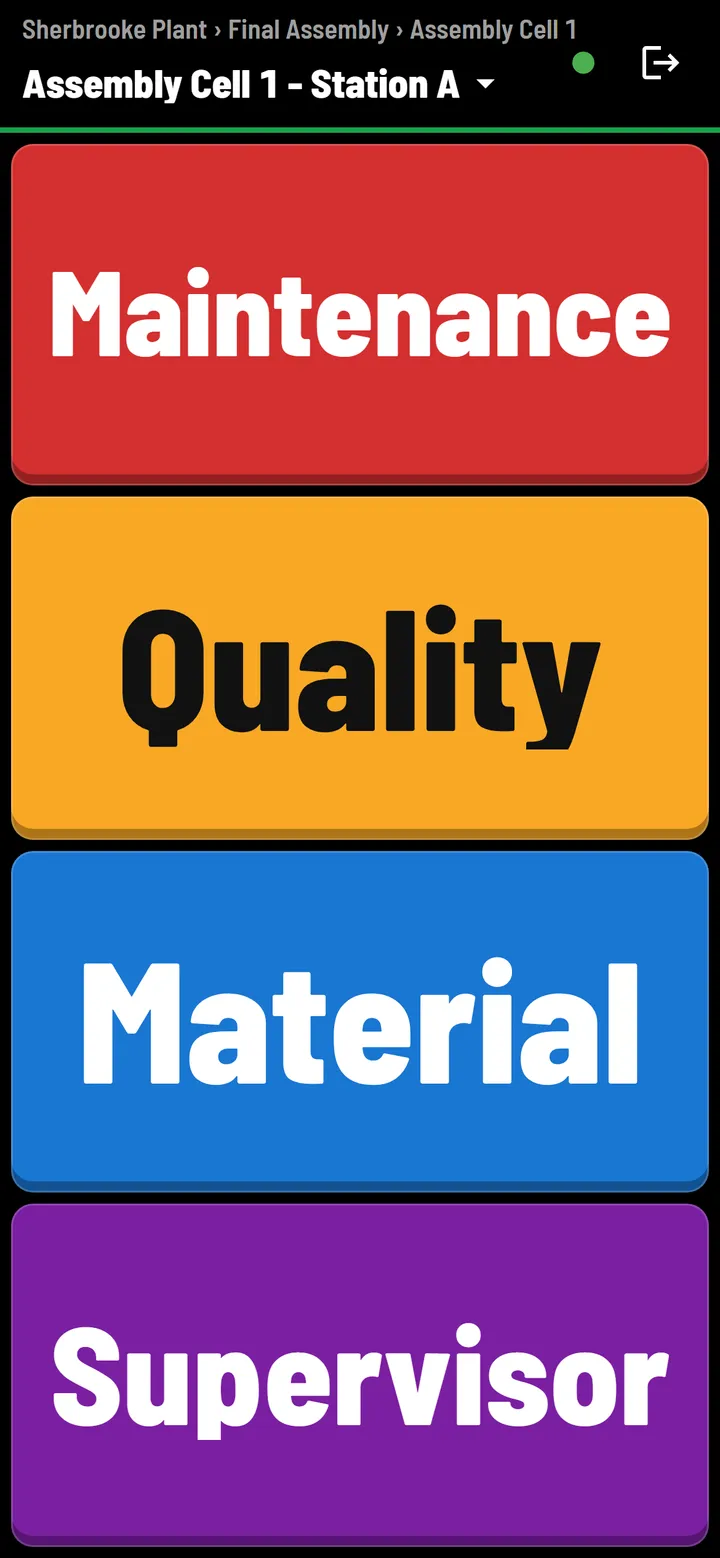
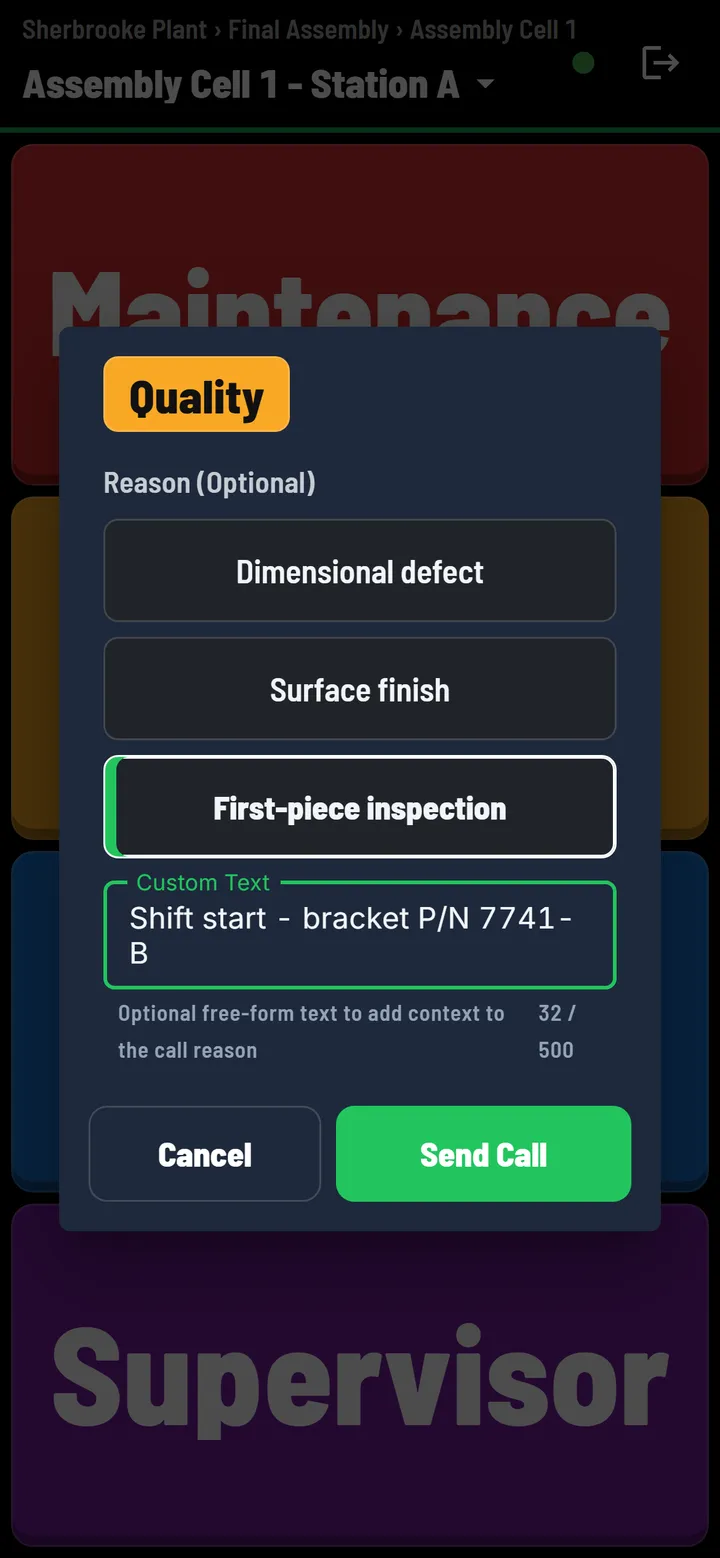
Any phone or tablet
No hardware needed to start. Choose the line, cell and station, and the device becomes a remote. Reasons and a short note are one tap away.
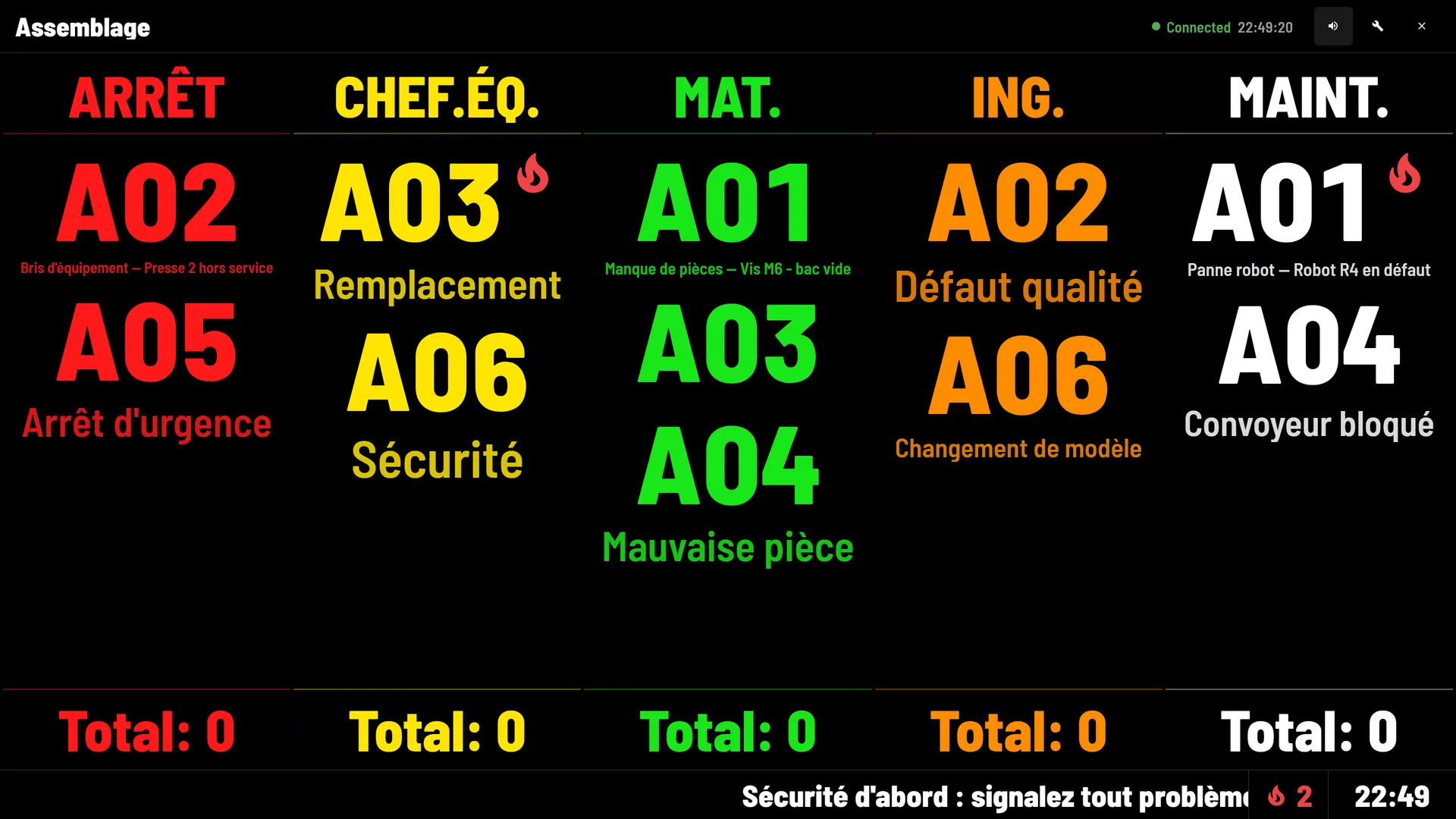
The board above the cell
Station codes in the colour of the call, readable from across the floor. A flame marks a chronic issue, shift totals sit along the bottom, and a scrolling line carries the day's message.
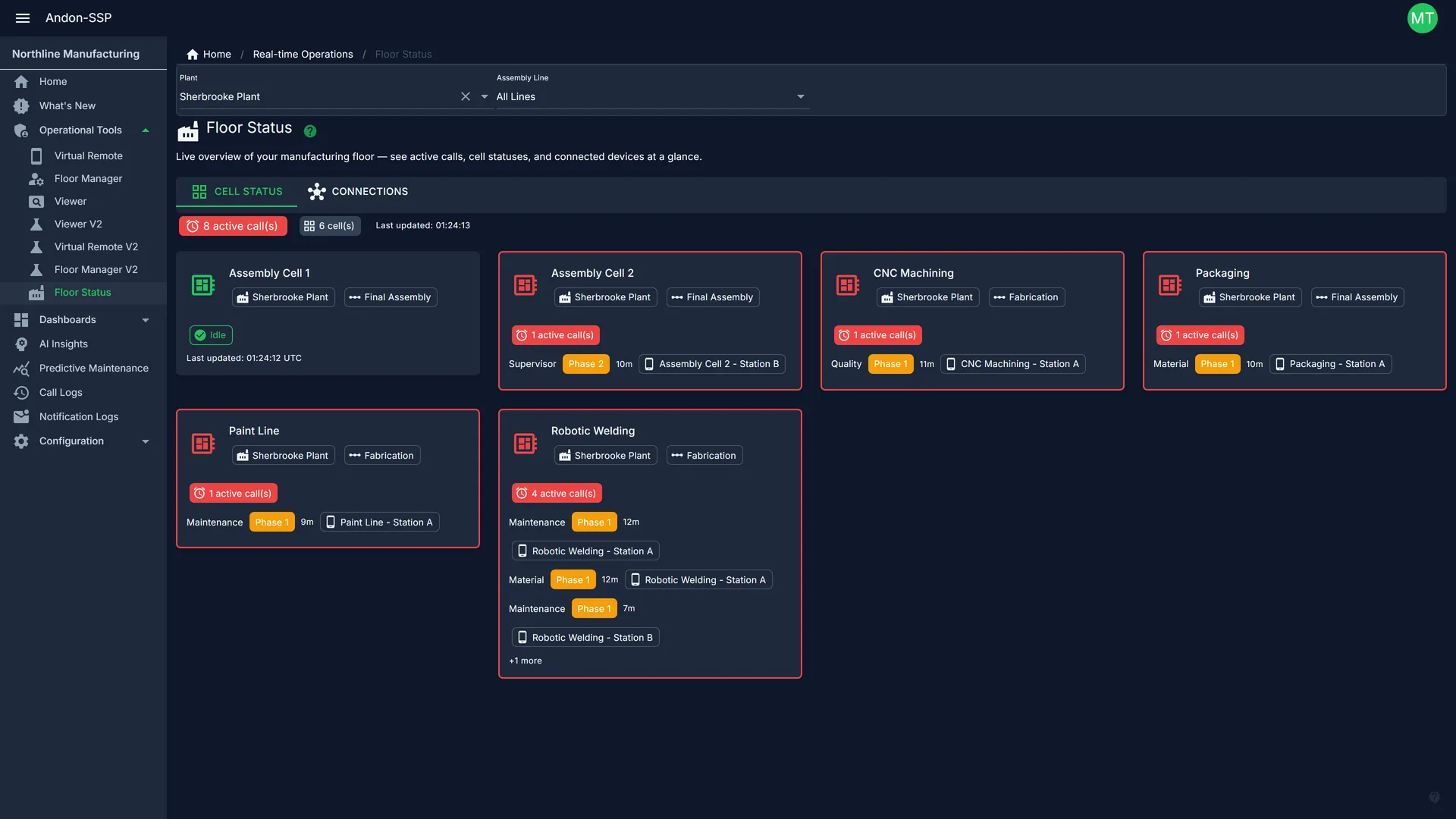
Every cell at a glance
Floor Status shows each cell's live calls, phase and elapsed time across the whole plant.
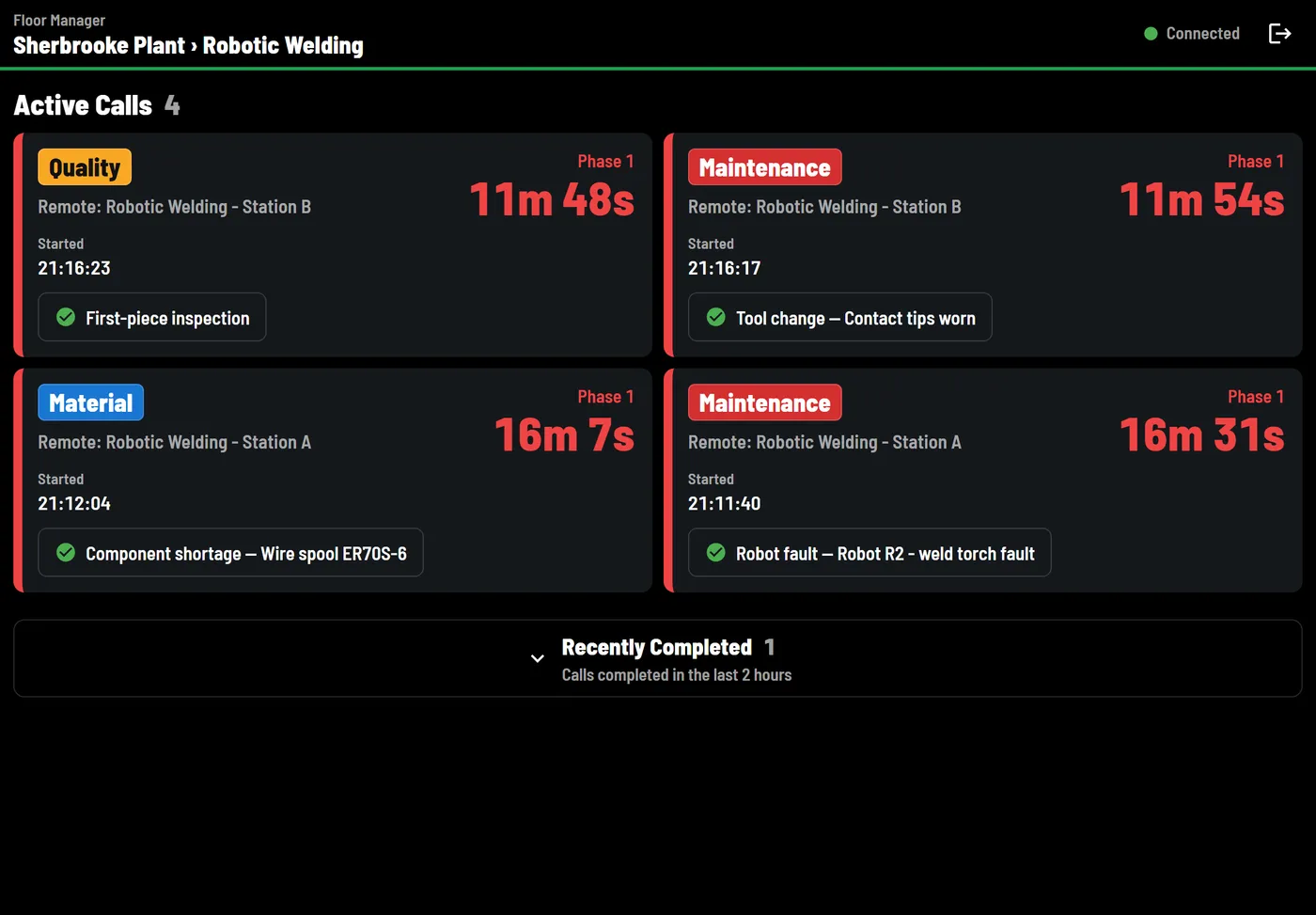
Supervisors see it on the move
Floor Manager lists active calls with their reason and a running timer on any tablet.
Know where your downtime comes from
By shift, by workstation, by reason. No spreadsheets.
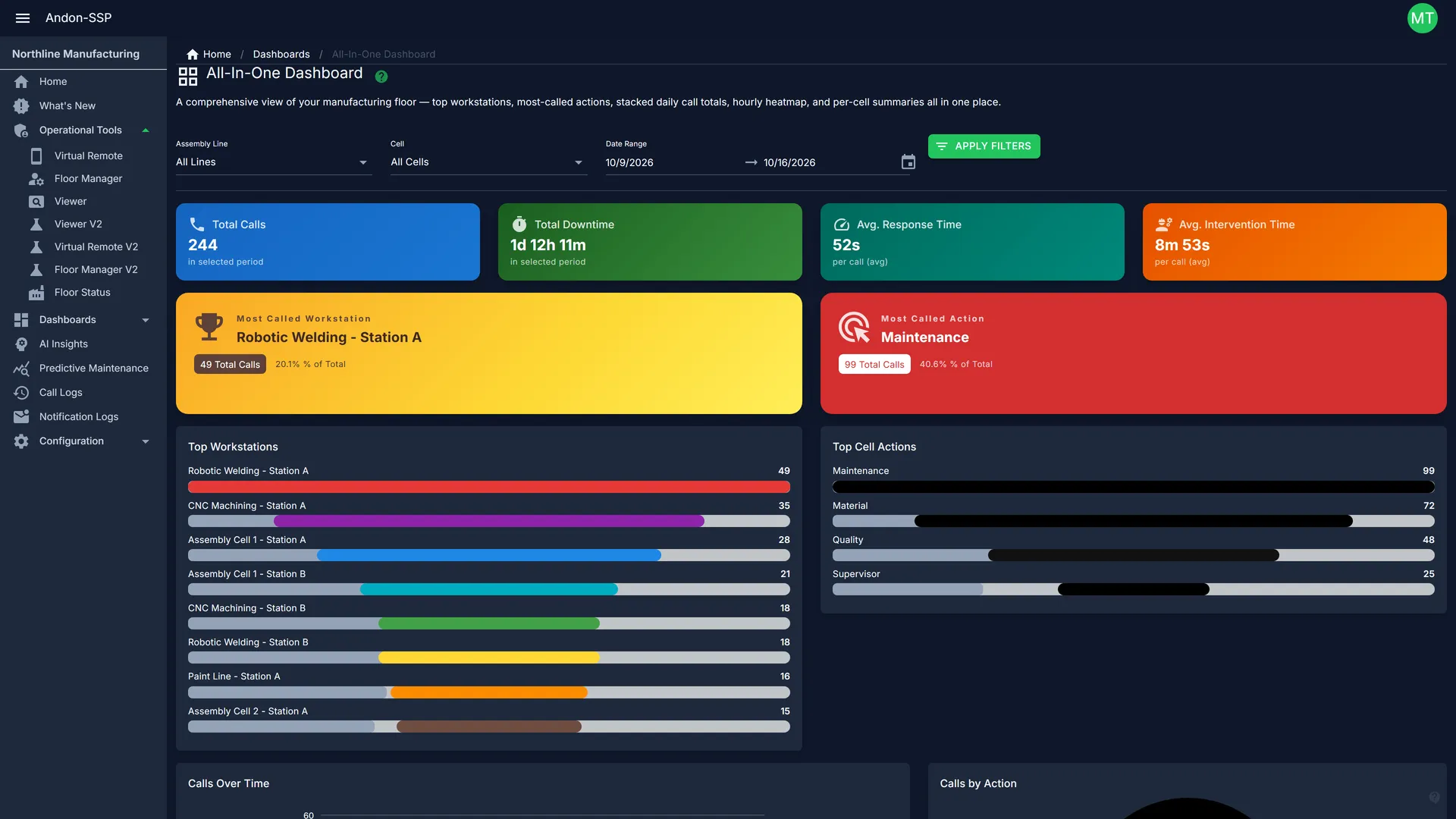
Total calls, downtime, average response time and the most-called workstation for any period.
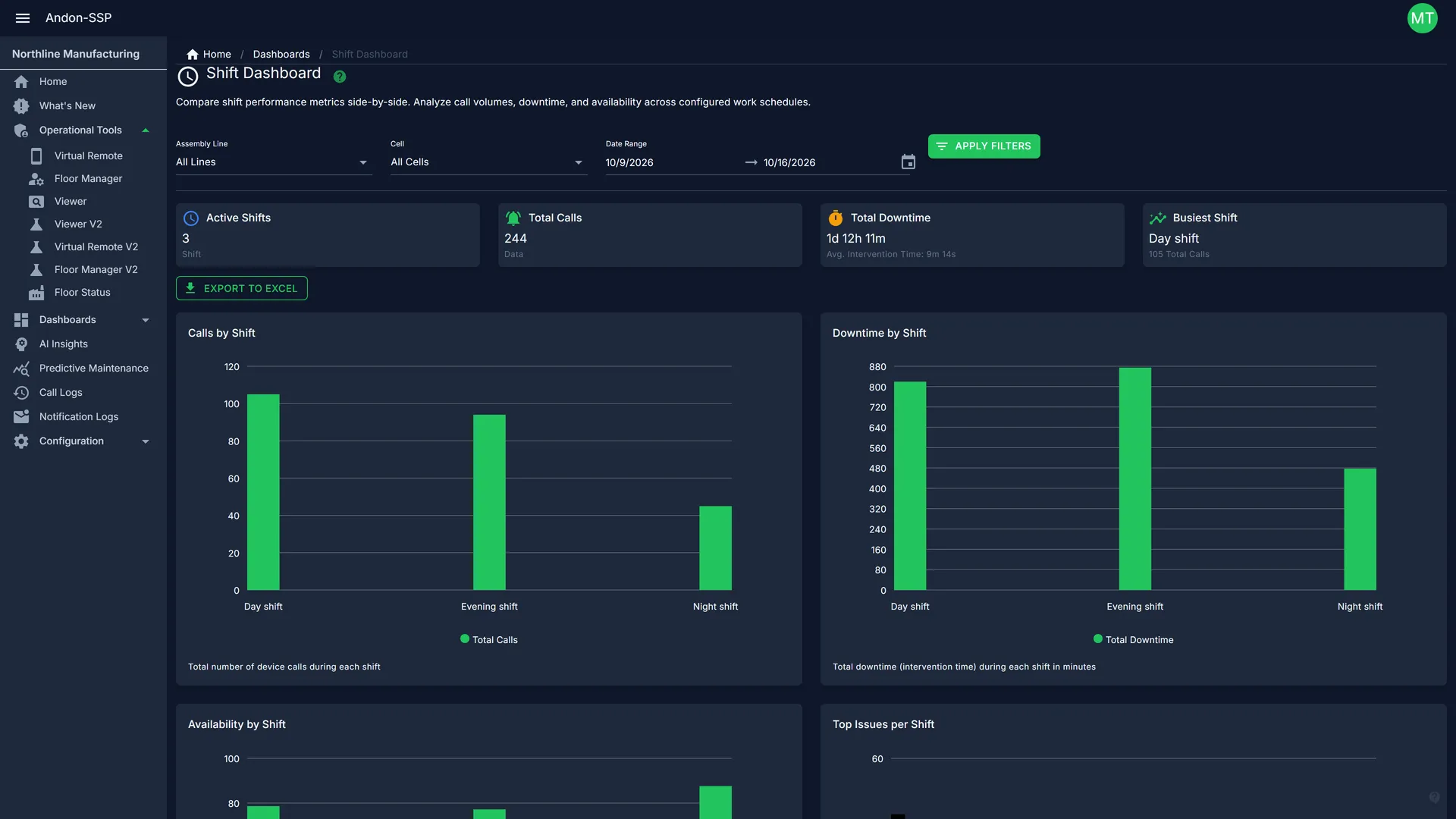
Compare calls, downtime and availability between day, evening and night shifts.
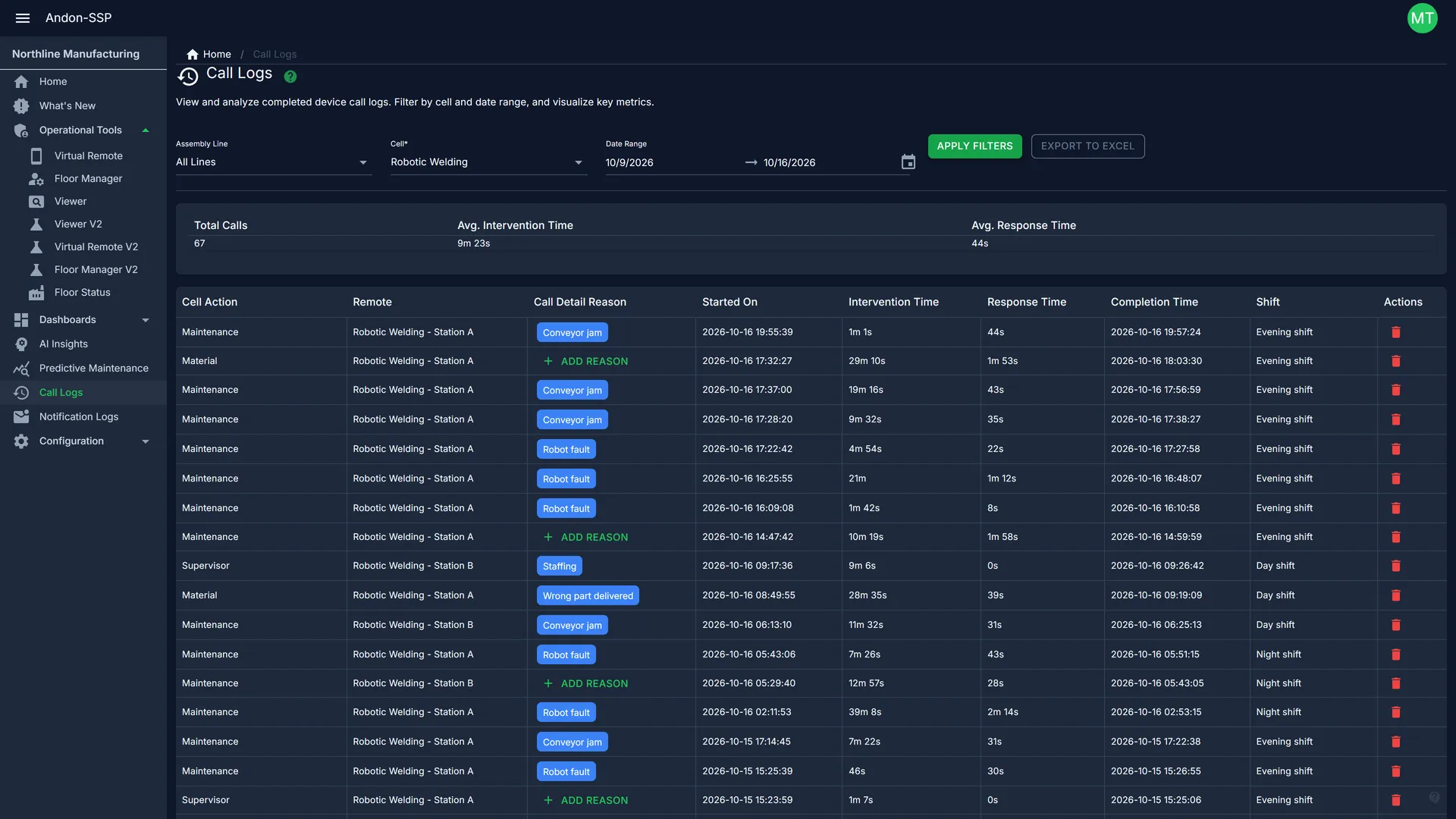
Every call with its reason, shift, response time and intervention time. Export to Excel in one click.
A 35-second walk through the dashboards.
Ask your floor a question
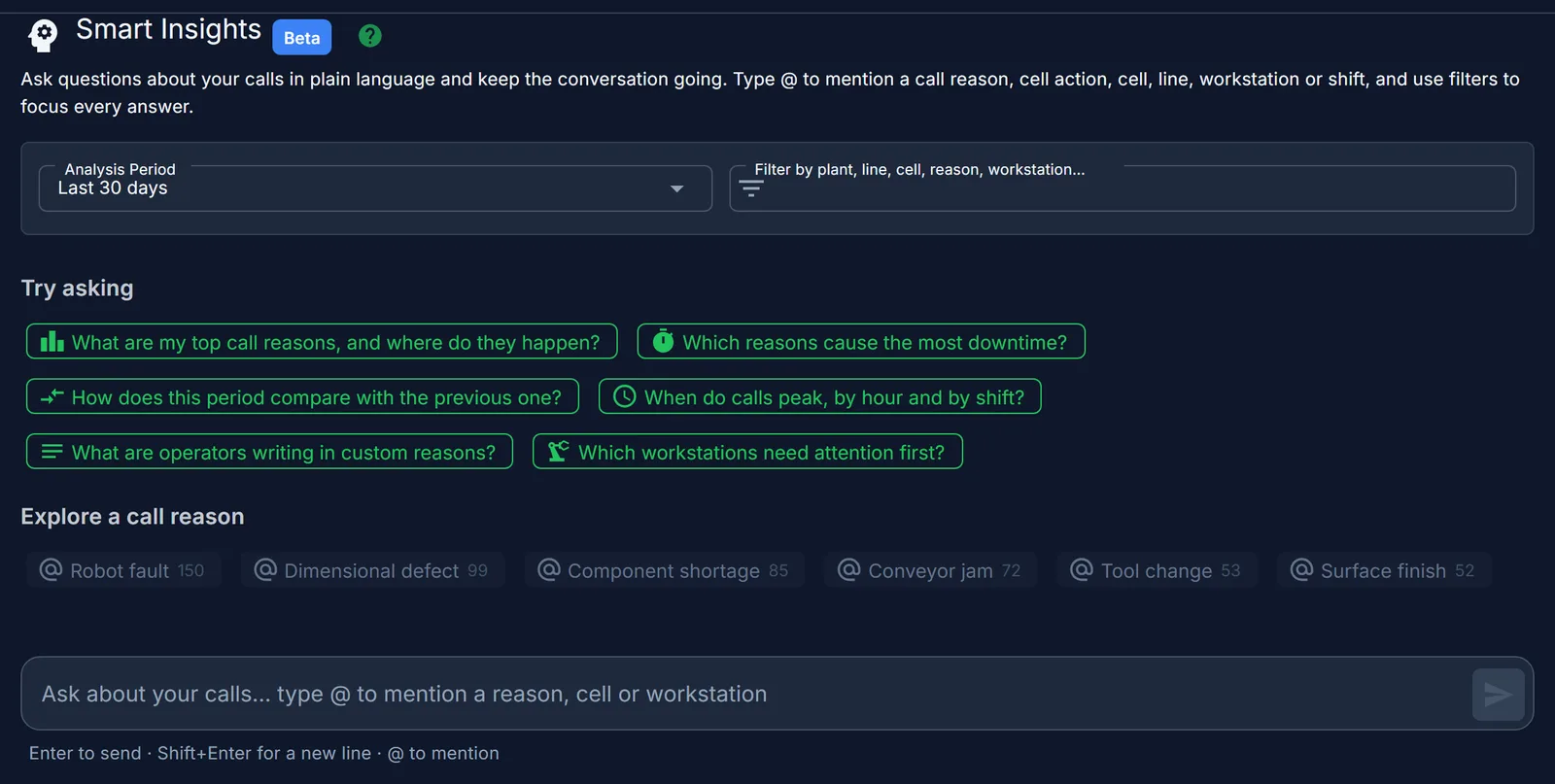
Smart Insights answers in plain language, using your own call history. Ask what needs attention first and get the workstations, the reasons and the numbers behind them.
Questions people ask
- Which workstations need attention first?
- Which reasons cause the most downtime?
- When do calls peak, by hour and by shift?
Made for Quebec manufacturers
- A subscription, not a big upfront cost
- Pay monthly instead of a large upfront investment. Start with one line and add plants as you grow.
- See how fast it pays for itself
- Running in hours or days
- No months-long project. Your cells, stations and call types are configured with you, then you're live.
- English and French
- Every screen works in both languages, so each person on the floor uses the one they prefer.
- Based in Sherbrooke
- You deal directly with the people who build and support Andon-SSP.
Works with what you already use
- Email and SMS escalation
- Microsoft Teams notifications
- REST API for ERP and MES
- Excel export
See it on your floor
Book a live demo with your own lines and call types, or run your numbers in the ROI calculator first.
Or call us at +1 (819) 791-6204