Whiteboard, Excel or real time: tracking downtime on the floor
Every plant tracks downtime somehow. The question is whether the numbers are complete enough to act on. An honest look at the three usual ways.
Most plants already track downtime. On a whiteboard by the line, on a sheet the supervisor fills in at the end of the shift, or in an Excel file someone updates on Mondays. Each way has its place. The real question is whether the numbers are complete and accurate enough to decide what to fix first.
What you need to record
- When the problem started, and at which station.
- Why: the reason, from a short list everyone uses the same way.
- How long until someone responded.
- How long the fix took.
- Which shift it happened on.
The whiteboard
Visible, cheap and everyone understands it. It’s good for today’s problems. But it gets erased, the times are written from memory, and short stops rarely make it on the board. You can’t compare this month with last month.
Paper sheets and Excel
Better: you keep a history and you can make charts. But the data is only as good as what was written down at the end of a busy shift. Times get rounded, reasons get mixed up, and someone has to type everything in. Response time, how long the operator waited before help arrived, is almost never recorded.
Real-time tracking
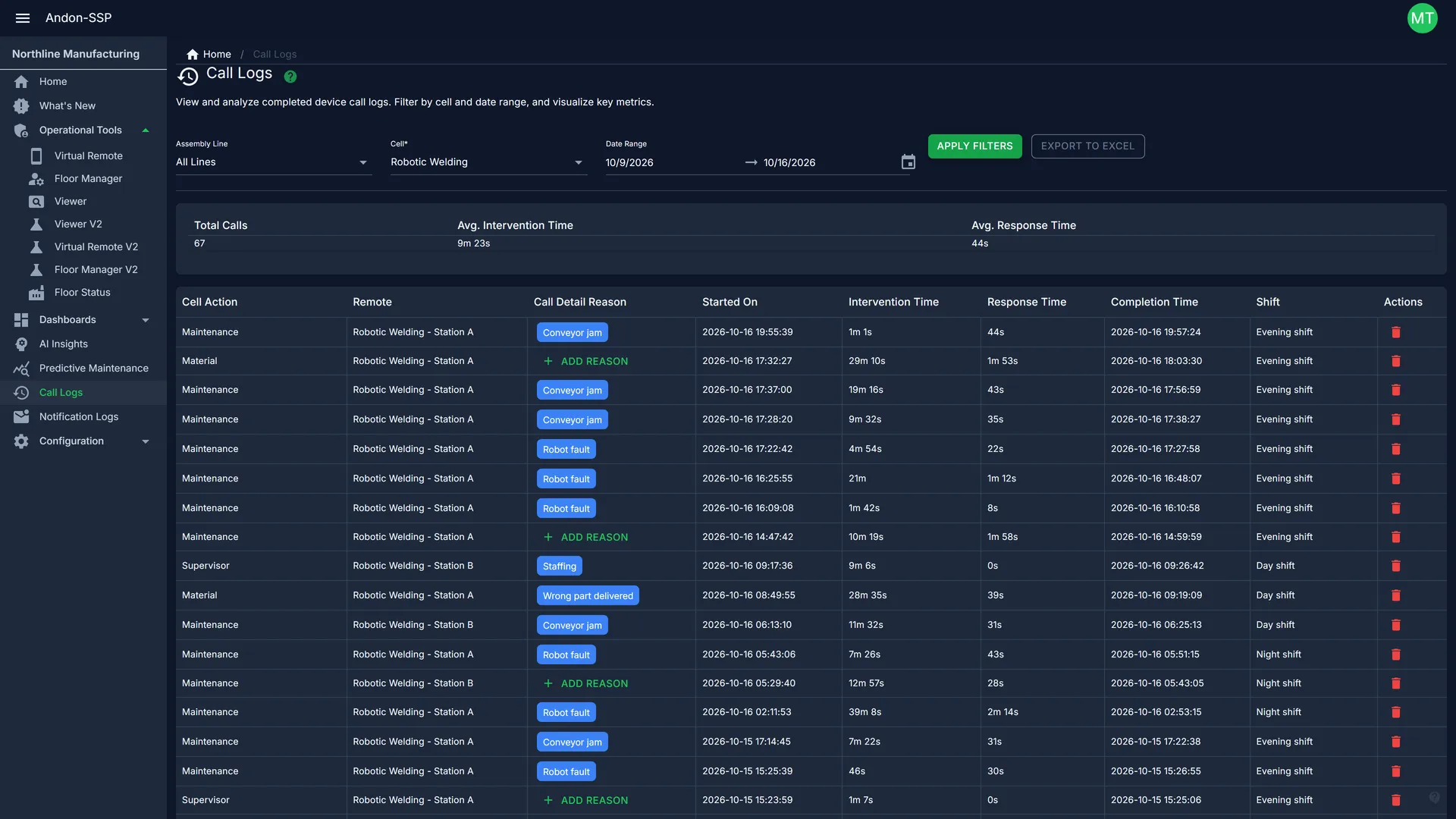
The call itself creates the record. When the operator presses a button, the start time, the station and the call type are saved. When the responder acknowledges and closes the call, the response and fix times are saved too. Nobody has to write anything down, so short stops count as much as long ones.
It’s not magic. You still need clear reasons that everyone uses the same way, and someone who looks at the numbers every week and acts on them. But you’re working from what really happened, not from what people remember.
Keep Excel
Real-time tracking doesn’t mean giving up your spreadsheets. With Andon-SSP, the call log exports to Excel in one click, so your existing reports keep working, with better data in them. Want to see it with your own stations and reasons? Book a 20-minute demo.
Want to see it on your floor?
In 20 minutes, we show you Andon-SSP set up with lines and call types like yours.